macOS (CrossOver) Setup Guide
Prerequisites
This guide assumes:
- You have basic knowledge with CrossOver (if not, look up a tutorial).
- You have the HITMAN World of Assassination bottle and the game downloaded.
Installing the server
- Download the Linux build from GitHub.
- Follow all the instructions in the Server section of the Linux setup guide, then return here.
Preparing the game
Unlike Windows and Linux, we'll use ZHMModSDK by OrfeasZ to get the game to connect. It comes with a mod called OnlineTools, which will function as a drop-in replacement for the patcher.
SDK installation
- Download the SDK's "Release" or "Release-PDBs" build.
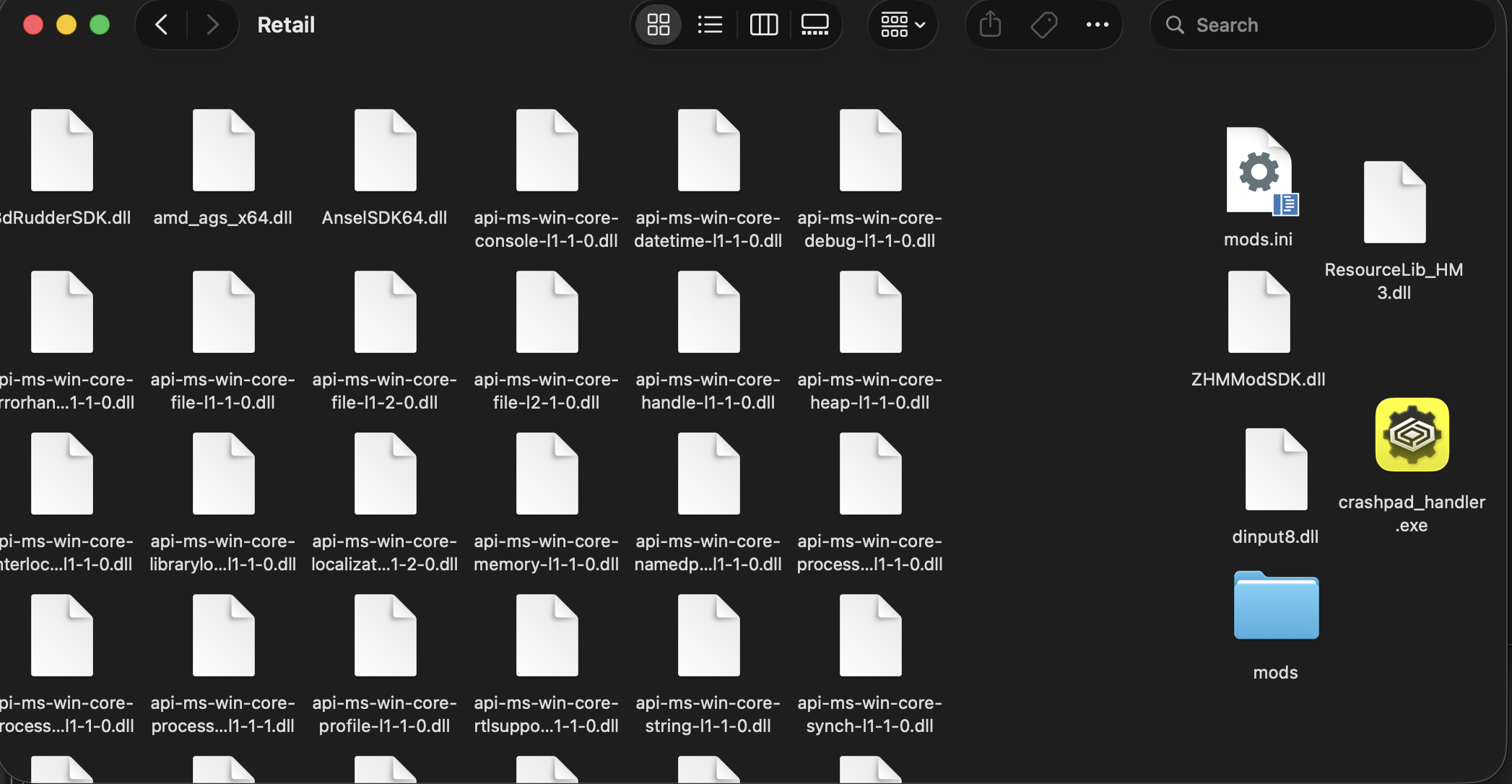
- Place its contents in the game's retail folder.
- You can find this by clicking "Open C: Drive" in the CrossOver bottle that you've installed the game into.
- Navigate to
C:/Program Files (x86)/Steam/steamapps/common/HITMAN 3/Retail - Drop the files in here.
The retail folder should now look something like this: (I've moved the SDK files to the right for display's sake):
CrossOver configuration
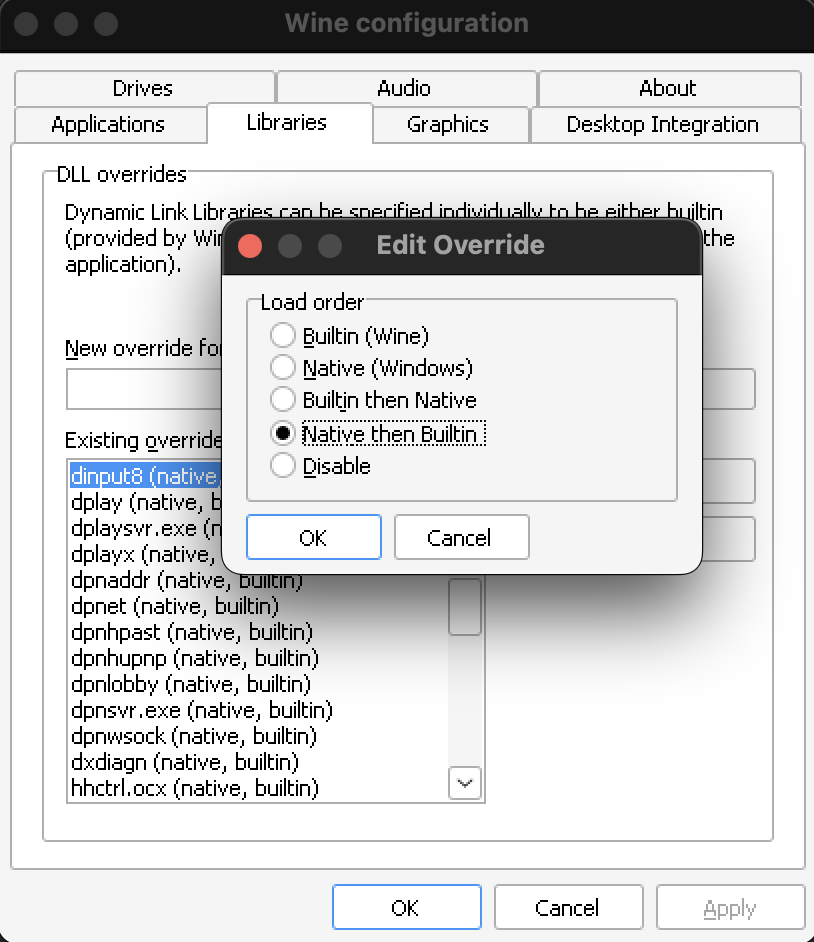
Next, we need to tell CrossOver to load the SDK's custom dinput8.dll instead of the built-in version offered by Wine.
- Inside CrossOver, select the bottle containing the game, and locate "Wine Configuration" under "Control Panels".
- Once the Wine Configuration panel opens, select the "Libraries" tab.
- First, check if there is an entry for
dinput8in the "Existing overrides:" list.- If yes, continue to next step.
- If no, locate the "New override for library:" box, type
dinput8, and click "Add".
- Next, select
d8inputon the "Existing overrides:" list, click the "Edit" button. - In the "Edit Override" box, select the "Native then Builtin" option. Then click "OK".
Next time you start the game, you should see the SDK.
TODO CONFIGURE ONLINETOOLS